The problem
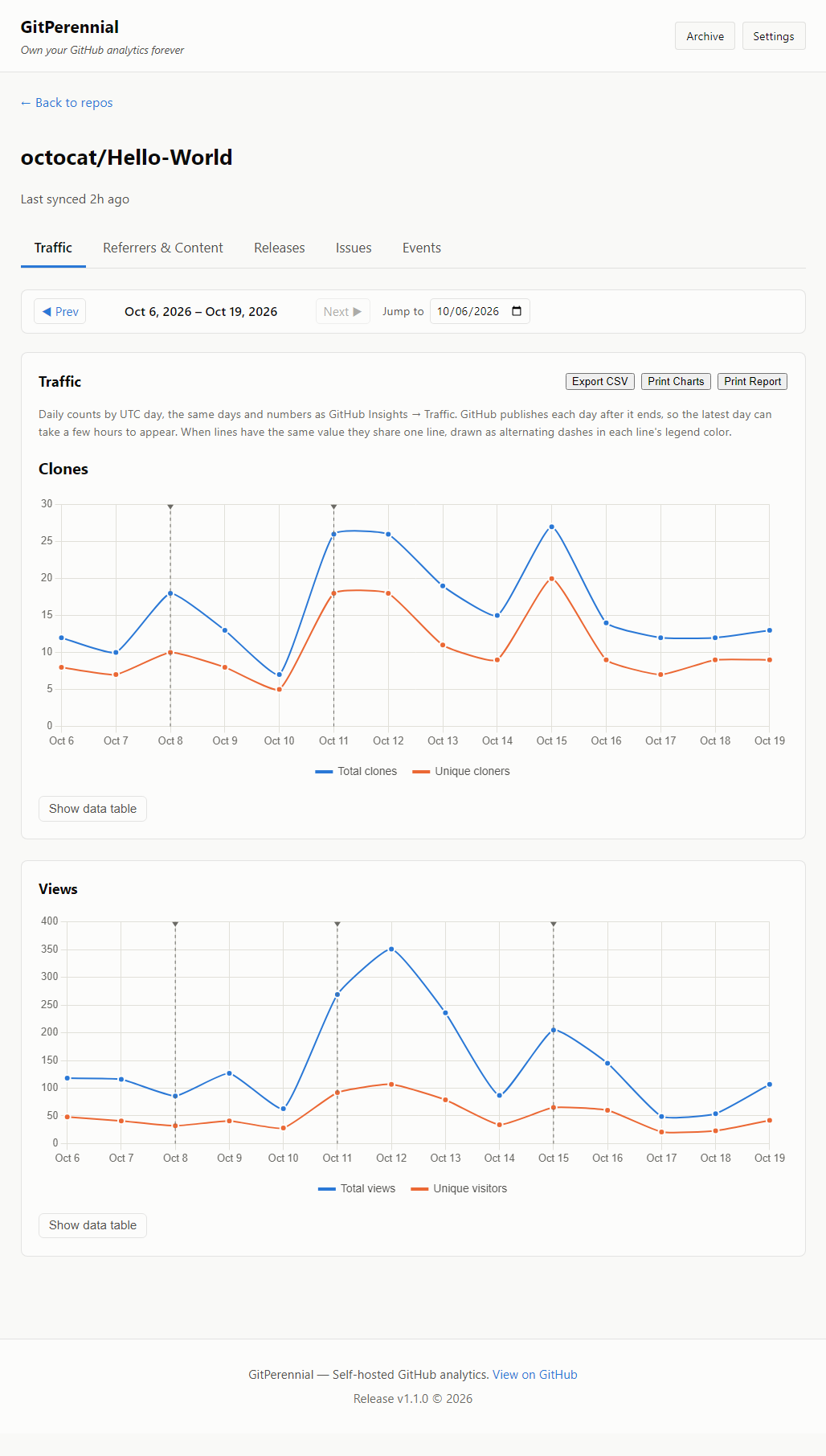
Open a repository's Insights, then Traffic, and you will see two weeks of data. Anything older is gone, and GitHub does not offer a setting or an export to get it back. If you want to know how a launch, a blog post or a release affected your repository last quarter, you had to be recording it at the time.
What GitPerennial does
Saves the data for you
Polls the GitHub API on a schedule with your own access token and stores every reading in a local SQLite file you own.
Stays on your machine
Your token and your data never go to a server of ours. The only network calls are to GitHub itself.
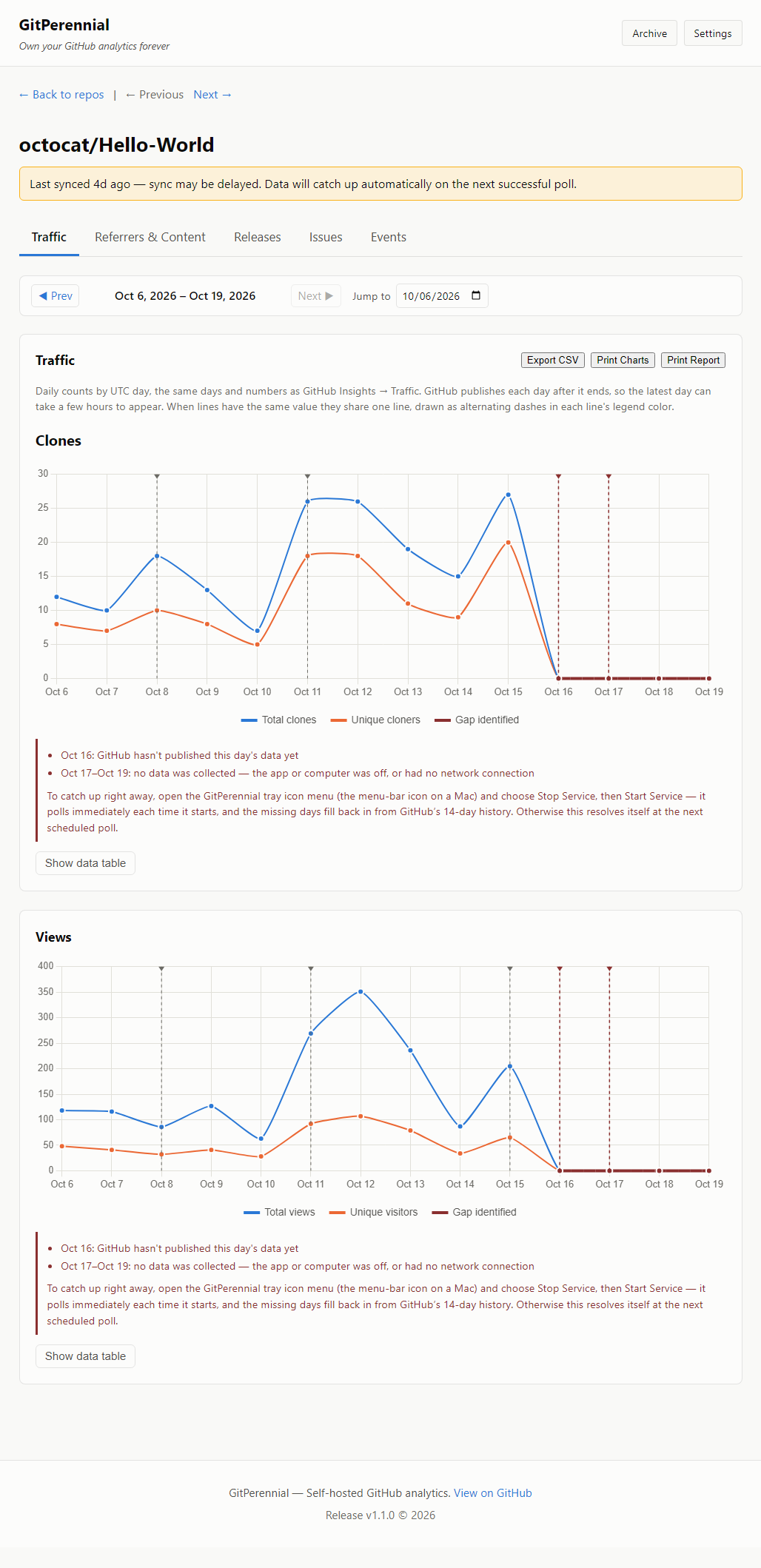
Shows you the gaps
If the computer was off when a poll was due, the dashboard says which days are missing and why, and recovers what GitHub still has.
Reports you can trust
Figures are reconciled against GitHub's own Insights page. Traffic matches it day for day; referrers, content, releases and issues are daily snapshots.
Releases too
Tracks release download counts per file over time, which GitHub's page only shows as a running total.
Export and print
CSV export and printable reports and charts, including black-and-white-friendly printing.
Platforms
Windows (.msi), macOS on Apple Silicon (.pkg), Debian, Ubuntu and Mint (.deb), and Fedora (.rpm). It runs as a background service with a tray icon and shows a dashboard in your browser.
Pricing
Free: track one repository, with every feature and no time limit.
$60 one time: unlimited repositories, and the version you buy keeps working forever. An optional $25 a year gets you new versions. There is no subscription, and nothing phones home to check whether you paid.
Questions or problems
Open an issue on the GitHub repository. The repository holds the documentation and installers; the application itself is not open source.